
INFINITY WIZE Access App


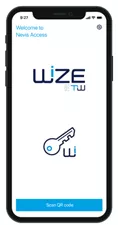
1. Download App
Download the Access App on your smartphone :


2. Register App
On the first app start, you need to register your account through your existing WIZE platform / eBanking simply by scanning a QRCode.
Registration Process
- Login to your WIZE Platform/ebanking Website using your existing credential or with the one-time password provided by your relationship manager
- Go to the “Access App” tab/menu
- Scan the QRCode with your Access App
- Follow the guided process from the Access App
- You’re ready ! Now your WIZE Access App is activated for both Web & Mobile accesses
Security Level
- A personal NIP code or FaceID is protecting your Access App
- The authentication process is verified through an highly secured channel
- The App is periodically updated with the latest security enhancements.
Compatibility
- Mobile phone with iOS version 13 and upper, Android version 7 or upper
Unlock your financial potential and secure your future with Infinity Asset Management
Let's get startedIMPORTANT LINKS
Infinity Asset Management is authorized and regulated by the Hellenic Capital Market Commission (HCMC Registration No1/1054/5-6-2025 and 6/1080/11.2.2026